Front Row Scout
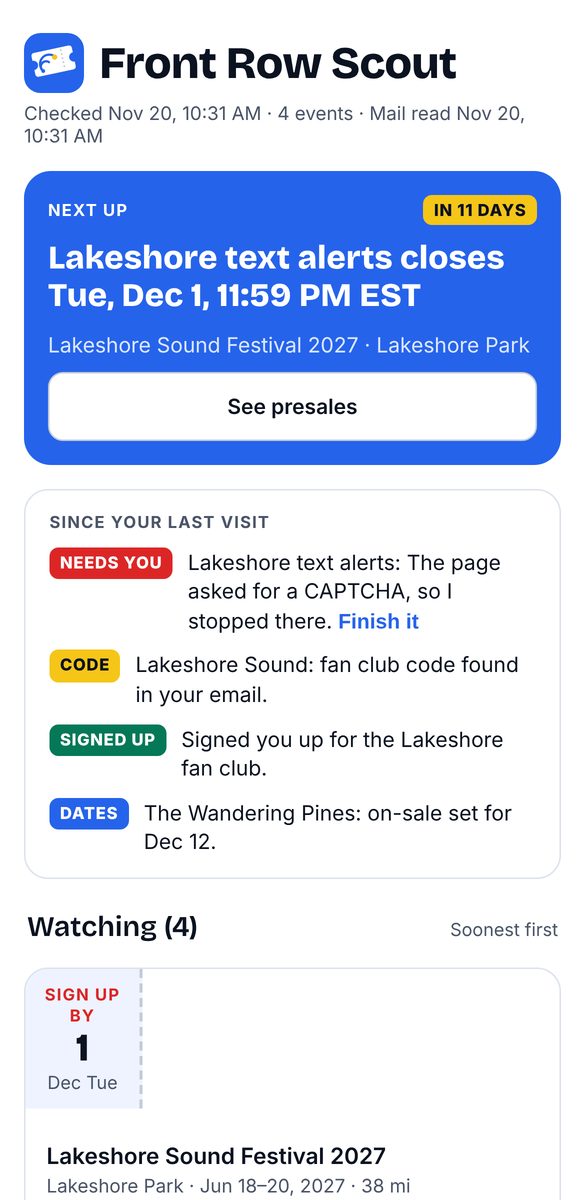
A presale and signup watcher for concerts and festivals. It finds the dates, codes and signups, and reminds me. It never buys tickets.
Problem
I was spending a lot of my own time chasing presales for shows I wanted to see. They live on different sites, fan clubs, card perks and emails, each with its own deadline, and I was running a separate scheduled check for every event.
What I did
Everything but the code. I wrote the requirements, made the mockups and the safety rules, and did the testing.
Built with
A private web app, a scheduled AI scanner, and small Mac helpers for Mail and Reminders. Code written with an AI coding assistant.
Status
In use for my own events. Phone-first, and designed so friends can use it next.
49-second demo with sample data, narrated in my own voice using Apple Personal Voice.
Key decisions
Read ticket emails without touching the inbox
Why: Presale codes arrive by email. A small helper copies only ticket-related emails, never moves, deletes or marks anything read, and deletes its copies after 30 days.
Trade-off: Matching on keywords can miss a code with unusual wording. I chose that over reading the whole inbox.
A locked-down outbox for reminders
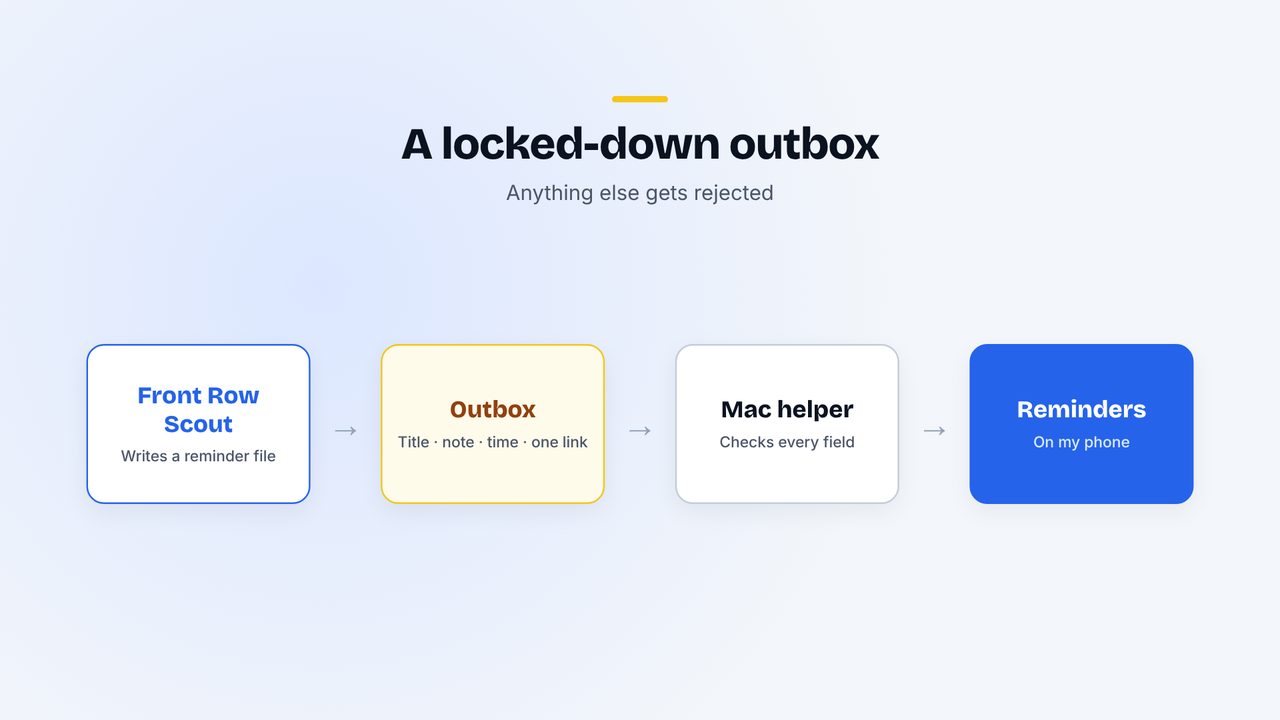
Why: The scanner reads the open web, so nothing it writes should be able to do more than intended on my Mac. A reminder can only carry a title, a short note, a time and one approved link. Anything else is rejected and logged.
Trade-off: Reminders are plain. That's the point.
Stop at every CAPTCHA
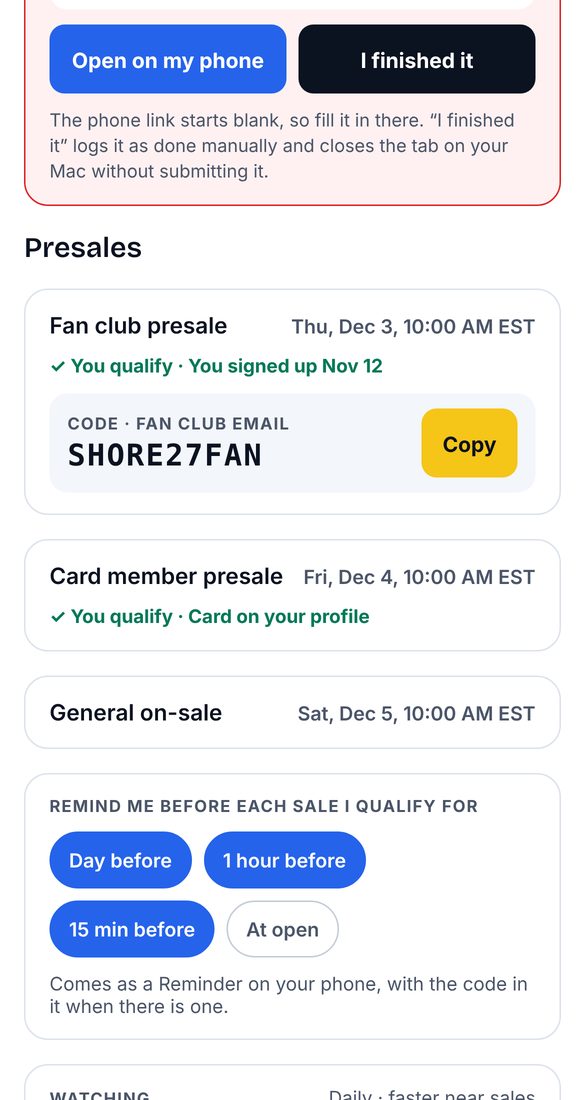
Why: Bot checks are boundaries, not puzzles. When one appears, it stops, leaves the page open on my Mac, tells me which email to use, and logs the signup as done by hand.
Trade-off: Some signups take me a minute myself.
It never buys tickets
Why: Spending money is a decision a person should make. The tool's job is to make sure I'm ready: codes copied, reminders set, accounts noted.
Trade-off: I still have to show up at on-sale time. Reminders a day, an hour and 15 minutes before make that easy.
Data, never instructions
Web pages, emails and every stored field are treated as information to read, never as instructions to follow. It's the same rule I use in Release Radar, applied to a much messier input: the open web.
What's next
- Instant alerts: push notifications through Pushover, so a presale alert hits my phone the moment it's found.
- Open it to friends. Data is already stored per person, so each user gets their own events, signups and signup email.
- Calendar export for presale times.
- Track results, like presales caught and signups completed, so it earns a number on this page.
Read the video transcript
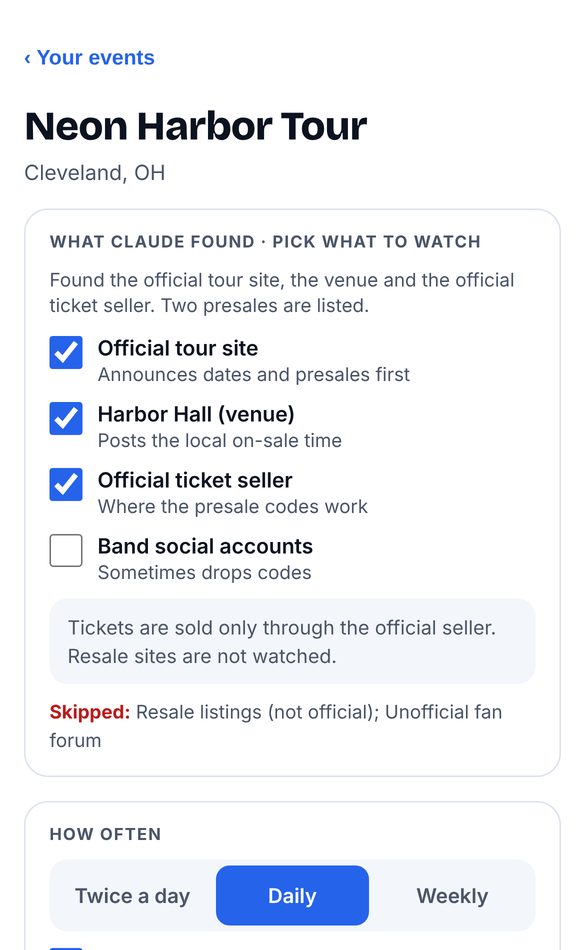
Presales hide across ticket sites, fan clubs, card perks and email. Miss one signup and you're paying resale. I built Front Row Scout to watch them for me. I add an event, and it finds the official sources, presales and signups. It copies only ticket emails from Mail on my Mac to find presale codes. It never changes my inbox, and it deletes its copies after thirty days. Reminders reach my phone through a locked-down outbox. A reminder can only carry a title, a short note, a time and one approved link. Sign me up fills in signup forms. At a CAPTCHA it stops, leaves the page open, and tells me which email to use. It never gets around bot checks, and it never buys tickets. I designed it and decided what it's allowed to do. An AI coding assistant wrote the code.